Building a FortiGate to OPNsense Site-to-Site IPsec Tunnel with IKEv2
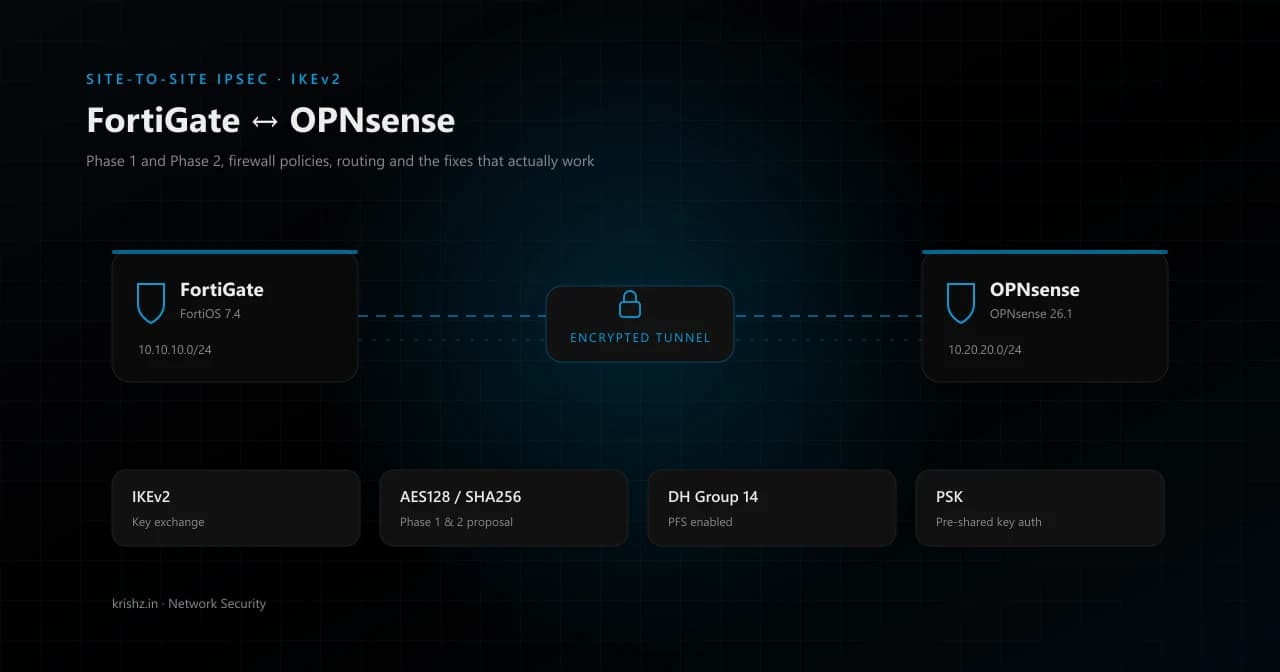
Building a FortiGate to OPNsense Site-to-Site IPsec Tunnel with IKEv2
Site-to-site VPNs between mixed-vendor firewalls always sound simple on paper and turn ugly the moment you press Apply. This guide walks through a complete, working FortiGate to OPNsense IKEv2 IPsec tunnel, covering Phase 1 and Phase 2, firewall policies, routing, and the troubleshooting steps that actually fix the common failures.
The configuration is shown with example IP addresses — substitute your own. Tested with FortiOS 7.4 and OPNsense 26.1 (strongSwan/swanctl).
What you'll learn
- How to configure FortiGate Phase 1 and Phase 2 for a mixed-vendor IPsec tunnel
- How to set matching OPNsense strongSwan/swanctl connection settings
- Which firewall rules and routes are required for traffic flow
- How to avoid the typical
AUTH_FAILED,NO_PROPOSAL_CHOSEN, and traffic-drop problems
1. Topology
                         IPsec (IKEv2 / ESP)
+------------------+        over Internet         +--------------------+
| FortiGate        |  203.0.113.10  ===========>  | OPNsense           |
| WAN: 203.0.113.10|                              | WAN: 198.51.100.20 |
| LAN: 192.168.120.0/24                            | LAN: 10.10.0.0/24  |
+------------------+                              +--------------------+
        |                                                    |
   192.168.120.0/24                                     10.10.0.0/24
   (Office network)                                    (Cloud / DC)
| Side | Public IP | Local Subnet |
|---|---|---|
| FortiGate | 203.0.113.10 | 192.168.120.0/24 |
| OPNsense | 198.51.100.20 | 10.10.0.0/24 |
We'll authenticate with a Pre-Shared Key (PSK) and use IKEv2 with AES-128/SHA-256/DH14 — a sensible modern default that both vendors interop cleanly on.
2. Crypto Parameters (must match exactly on both ends)
| Parameter | Value |
|---|---|
| IKE version | IKEv2 |
| Authentication | PSK |
| Phase 1 encryption | AES128 |
| Phase 1 hash | SHA256 |
| Phase 1 DH group | 14 (modp2048) |
| Phase 1 lifetime | 86400 s |
| Phase 2 encryption | AES128 |
| Phase 2 hash | SHA256 |
| Phase 2 PFS group | 14 |
| Phase 2 lifetime | 43200 s |
| Mode | Tunnel |
| NAT-T | Off (both sides have public IPs) |
| DPD | On demand / restart |
Tip: 90% of "auth failed / no proposal chosen" tickets come from one of these values being one notch off on one side. Pin them down before clicking Save.
3. FortiGate Configuration
3.1 Phase 1 (IKE)
GUI: VPN ▸ IPsec Tunnels ▸ Create New ▸ Custom.
| Field | Value |
|---|---|
| Name | OPNsense-DC |
| Remote Gateway | Static IP Address |
| IP Address | 198.51.100.20 |
| Interface | wan1 |
| NAT Traversal | Disable |
| Dead Peer Detection | On Demand |
| Authentication Method | Pre-shared Key |
| Pre-shared Key | <your-PSK> |
| IKE Version | 2 |
| Mode | (n/a for IKEv2) |
| Encryption / Auth | AES128 / SHA256 |
| Diffie-Hellman | 14 |
| Key Lifetime | 86400 |
CLI equivalent:
config vpn ipsec phase1-interface
    edit "OPNsense-DC"
        set interface "wan1"
        set ike-version 2
        set peertype any
        set net-device disable
        set proposal aes128-sha256
        set dhgrp 14
        set remote-gw 198.51.100.20
        set psksecret <your-PSK>
        set dpd on-demand
        set nattraversal disable
    next
end
3.2 Phase 2 (Child SA / Selectors)
| Field | Value |
|---|---|
| Name | OPNsense-DC-P2 |
| Local Address | Subnet 192.168.120.0/24 |
| Remote Address | Subnet 10.10.0.0/24 |
| Encryption / Auth | AES128 / SHA256 |
| PFS | Enabled, DH14 |
| Lifetime | 43200 s |
| Auto-negotiate | Enabled |
CLI:
config vpn ipsec phase2-interface
    edit "OPNsense-DC-P2"
        set phase1name "OPNsense-DC"
        set proposal aes128-sha256
        set pfs enable
        set dhgrp 14
        set keylifeseconds 43200
        set src-subnet 192.168.120.0 255.255.255.0
        set dst-subnet 10.10.0.0 255.255.255.0
        set auto-negotiate enable
    next
end
3.3 Static Route
config router static
    edit 0
        set dst 10.10.0.0 255.255.255.0
        set device "OPNsense-DC"
        set comment "Remote LAN via IPsec"
    next
end
3.4 Firewall Address Objects + Policies
config firewall address
    edit "Office-LAN"
        set subnet 192.168.120.0 255.255.255.0
    next
    edit "DC-LAN"
        set subnet 10.10.0.0 255.255.255.0
    next
end

config firewall policy
    edit 0
        set name "Office-to-DC"
        set srcintf "lan"
        set dstintf "OPNsense-DC"
        set action accept
        set srcaddr "Office-LAN"
        set dstaddr "DC-LAN"
        set schedule "always"
        set service "ALL"
        set nat disable
    next
    edit 0
        set name "DC-to-Office"
        set srcintf "OPNsense-DC"
        set dstintf "lan"
        set action accept
        set srcaddr "DC-LAN"
        set dstaddr "Office-LAN"
        set schedule "always"
        set service "ALL"
    next
end
Critical:
set nat disableon the outbound tunnel policy. If FortiGate masquerades the source, the packet's source address will no longer match the Phase 2 selector and the remote end silently drops it — one of the most time-consuming bugs to chase.
4. OPNsense Configuration (modern swanctl/Connections model)
OPNsense 25.x and later expose strongSwan's swanctl configuration directly under VPN ▸ IPsec ▸ Connections. This replaces the legacy Tunnel Settings UI. Use the new model — it maps 1:1 to swanctl/strongSwan.
4.1 Connection (Phase 1)
VPN ▸ IPsec ▸ Connections ▸ Connections ▸ +
| Field | Value |
|---|---|
| Enabled | ✓ |
| Proposals | aes128-sha256-modp2048 |
| Version | IKEv2 |
| Unique | replace |
| Aggressive | unchecked |
| Mobike | checked |
| Local Addresses | 198.51.100.20 |
| Remote Addresses | 203.0.113.10 |
| UDP Encapsulation | unchecked |
| Reauth Time | 86400 |
| Rekey Time | 77400 |
| DPD Delay | 30 |
| DPD Timeout | 120 |
4.2 Local Authentication
Connections ▸ Local authentication ▸ +
| Field | Value |
|---|---|
| Connection | (the connection above) |
| Authentication | Pre-Shared Key |
| ID | 198.51.100.20 |
4.3 Remote Authentication
Connections ▸ Remote authentication ▸ +
| Field | Value |
|---|---|
| Connection | (same) |
| Authentication | Pre-Shared Key |
| ID | 203.0.113.10 |
4.4 Pre-Shared Key
VPN ▸ IPsec ▸ Pre-Shared Keys ▸ +
| Field | Value |
|---|---|
| Local identifier | 198.51.100.20 |
| Remote identifier | 203.0.113.10 |
| PSK type | PSK |
| Pre-Shared Key | <your-PSK> |
Type the PSK manually rather than pasting; stray invisible characters in copy/paste are a classic cause of
AUTH_FAILED.
4.5 Child SA (Phase 2)
Connections ▸ Children ▸ +
| Field | Value |
|---|---|
| Enabled | ✓ |
| Connection | (same) |
| Mode | Tunnel |
| Policies | checked |
| ESP Proposals | aes128-sha256-modp2048 |
| Start Action | start |
| Close Action | none |
| DPD Action | restart |
| Local TS | 10.10.0.0/24 |
| Remote TS | 192.168.120.0/24 |
| Rekey Time | 38880 |
4.6 Enable IPsec
VPN ▸ IPsec ▸ Settings → Enable IPsec ✓ → Apply.
4.7 Firewall Rules
OPNsense will not pass traffic through the tunnel without explicit rules on the IPsec interface, even when the SA is up.
Firewall ▸ Rules ▸ IPsec ▸ +
| Action | Source | Destination | Description |
|---|---|---|---|
| Pass | 192.168.120.0/24 | 10.10.0.0/24 | Allow Office to DC |
4.8 Outbound NAT (No-NAT for Tunnel Traffic)
If Firewall ▸ NAT ▸ Outbound is set to Automatic or Hybrid, add a manual rule before the auto rules:
| Interface | Source | Destination | NAT |
|---|---|---|---|
| WAN | 10.10.0.0/24 | 192.168.120.0/24 | No NAT |
This stops OPNsense from masquerading tunnel traffic out the public WAN IP.
5. Bringing the Tunnel Up
On OPNsense (shell):
configctl ipsec reload
swanctl --list-conns
swanctl --initiate --child <child-uuid>
swanctl --list-sas
A healthy tunnel looks like:
<conn>: ESTABLISHED, IKEv2 ...
  AES_CBC-128/HMAC_SHA2_256_128/PRF_HMAC_SHA2_256/MODP_2048
  <child>: INSTALLED, TUNNEL, ESP:AES_CBC-128/HMAC_SHA2_256_128/MODP_2048
    local  10.10.0.0/24
    remote 192.168.120.0/24
On FortiGate:
get vpn ipsec tunnel summary
diagnose vpn ike gateway list name OPNsense-DC
6. End-to-End Verification
From a host on 192.168.120.0/24:
ping 10.10.0.10
ssh [email protected]
From a host on 10.10.0.0/24:
ping 192.168.50.10
OPNsense live capture (decrypted traffic):
tcpdump -ni enc0
FortiGate live capture (encrypted + decrypted on the named tunnel interface):
diagnose sniffer packet any "host 10.10.0.10 and host 192.168.50.10" 4 0 l
swanctl --list-sas byte/packet counters incrementing on both in and out is the cleanest sign things really work end-to-end.
7. Troubleshooting Cheat Sheet
These are the failures you're most likely to hit, in roughly the order they appear:
7.1 IKE_AUTH fails with AUTHENTICATION_FAILED
Phase 1 negotiated, IKE_AUTH rejected by peer. Almost always:
- PSK mismatch (retype manually on both sides).
- Peer ID mismatch — on FortiGate, set
peertype anyand unsetpeerid/localiduntil you've confirmed the basics.
Watch FortiGate IKE in real time:
diagnose debug reset
diagnose debug application ike -1
diagnose debug enable
diagnose vpn ike gateway flush name OPNsense-DC
7.2 NO_PROPOSAL_CHOSEN on the CHILD_SA
Phase 1 came up but Phase 2 fails. The IKE log will print received proposals vs configured proposals — find the mismatch (commonly SHA1 vs SHA256, or dhgrp differs):
peer:  AES_CBC/128 SHA256 MODP2048
mine:  AES_CBC/128 SHA1   MODP2048   <-- mismatch
Align them on whichever side is wrong.
7.3 SA up but no traffic flows
Walk this checklist in order:
- OPNsense IPsec firewall rule exists for the source/destination subnets (
Firewall ▸ Rules ▸ IPsec). The auto-generatedpass out on enc0rule isn't enough — you need an inbound pass rule too. - No outbound NAT on either side rewriting the source. On FortiGate that's
set nat disableon the policy. On OPNsense it's a manual No NAT outbound rule. - Routing on the gateways: each side needs a route to the remote subnet via the IPsec interface. On FortiOS the static route is mandatory; on OPNsense it's installed automatically when Policies is enabled on the Child SA.
- Routing on the end hosts: their default gateway must be the firewall, or they must have a static route to the remote subnet via the firewall.
7.4 TCP handshake works, data hangs (SSH banner loops, HTTPS stalls)
Classic MTU / MSS problem over IPsec. ESP overhead pushes packets above the path MTU and "DF" set packets get dropped silently somewhere.
Confirm with:
ping -M do -s 1400 10.10.0.10     # likely fails
ping -M do -s 1350 10.10.0.10     # likely succeeds
Fix on OPNsense: Firewall ▸ Settings ▸ Normalization ▸ +, scope to the IPsec interface, TCP, set Max MSS = 1350.
On FortiGate, set TCP MSS on the tunnel interface:
config system interface
    edit "OPNsense-DC"
        set tcp-mss 1350
    next
end
7.5 Asymmetric routing
If one end is L2-adjacent to a host that also lives behind a NAT'ing intermediate gateway, FortiGate (or strongSwan) will see SYN on one interface and ACKs on another and drop the data packets due to TCP sanity checks.
Fix the routing so the path is symmetric. Either:
- Add a more-specific (
/32or smaller subnet) static route on the firewall pointing to the correct interface. - Add a route on the end host that prefers the correct gateway.
If you really can't avoid asymmetry:
config system settings
    set asymroute enable
end
…but treat that as a last resort. It weakens session checks across the whole VDOM.
8. Useful Diagnostic Commands
OPNsense
swanctl --list-conns                      # loaded configuration
swanctl --list-sas                        # current SAs (counters!)
swanctl --initiate --child <uuid>         # bring up a child SA
swanctl --terminate --ike <uuid>          # tear down
configctl ipsec reload                    # apply config changes
pfctl -sr | grep enc0                     # active firewall rules on IPsec
pfctl -ss | grep <ip>                     # state table
tcpdump -ni enc0                          # decrypted traffic
tcpdump -ni pflog0                        # firewall drops
FortiGate
get vpn ipsec tunnel summary
diagnose vpn ike gateway list name <p1>
diagnose vpn tunnel list name <p2>
diagnose sniffer packet any "host x and host y" 4 0 l
diagnose firewall iprope lookup <src> <sport> <dst> <dport> <proto> <iface>
diagnose debug reset
diagnose debug application ike -1
diagnose debug flow filter addr <ip>
diagnose debug flow show function-name enable
diagnose debug flow trace start 20
diagnose debug enable
The iprope lookup command is gold — it tells you exactly which firewall policy ID a packet would match, so you can be sure the right one is winning.
9. Wrap-Up
The pieces aren't complicated individually:
- Identical IKE/ESP proposals on both sides.
- Identical traffic selectors on both sides.
- PSK and IDs that match.
- A static route to the remote subnet on each firewall.
- Firewall policies allowing both directions.
- No NAT on the tunnel path.
- MSS clamp on the tunnel interface.
- Symmetric routing for the end hosts.
Get those right and the tunnel just works. Miss any one and you get hours of AUTH_FAILED, NO_PROPOSAL_CHOSEN, or — worst of all — a tunnel that comes up cleanly and silently drops traffic. The diagnostic commands in section 8 will tell you which of the eight you missed; don't guess.
If this saved you an evening of debugging, share it with whoever's about to do the same setup tomorrow.